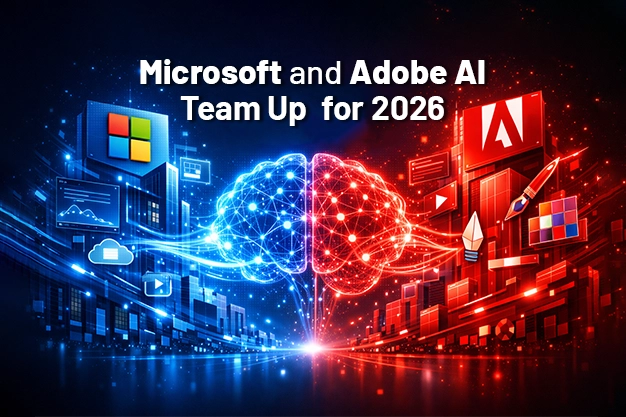
Microsoft Adobe AI marketing is redefining how brands approach campaigns, creativity, and data. Remember when marketing meant juggling a million different tools, drowning in spreadsheets, and pulling all-nighters to meet deadlines? Well, that’s about to change.
On January 12, 2026, at the National Retail Federation conference in New York, Microsoft and Adobe announced something pretty exciting: they’re combining their powers to bring AI directly into your everyday marketing work.
And no, this isn’t another overhyped tech announcement that sounds cool but does nothing. This is practical stuff that’ll actually save you time and headaches.
What’s the Big Deal?
Microsoft and Adobe have been working together for years, but this is different. They’re building what they call “Marketer AI agents”—think of them as super-smart assistants that live right inside the tools you already use.
The best part? You can talk to them in plain English. No coding, no complicated setup, no tech degree required.
Want to create a summer sale email campaign? Just type: “Create an email campaign for our summer sneaker sale, targeting eco-conscious shoppers.” And it happens.
Timeline: This isn’t some far-off future thing. It’s rolling out in Q2 2026—that means April through June. Just a few months away.
What You’re Actually Getting
Let me break down the new features in a way that makes sense.
The Power Combo: Adobe + Microsoft Working Together
Adobe’s new Marketing Agent is going to work directly with Microsoft 365 Copilot. If you use Word, Excel, Teams, or any Microsoft Office app, you’ll now have Adobe’s marketing smarts built right in.
What This Means in Real Life
| Feature | What It Does | Why It Matters to You |
|---|---|---|
| Adobe Marketing Agent + Microsoft 365 | Connects Adobe’s creative tools directly into Word, Excel, Teams, etc. | No more jumping between apps—work where you’re comfortable |
| Chat-Based Campaign Creation | Type what you want in normal language, get campaigns built automatically | “Make a Facebook ad for yoga mats” becomes a real ad in minutes |
| Unified Analytics Dashboard | Pulls all your data into one place—sales, social media, email, everything | See the full picture without hunting through 10 different reports |
| AI Creative Generator | Creates images, videos, and designs based on your description | Type “tropical beach vacation vibe” and get ready-to-use graphics |
How It Actually Works
Let’s say it’s Monday morning. You open Microsoft Teams and type into Copilot: “Analyze our January sales performance and suggest improvements for February.”
The AI:
• Pulls data from your sales system, email campaigns, and social media
• Identifies what worked and what flopped
• Suggests specific changes (like “Your Instagram ads performed 40% better on weekends”)
• Can even draft the new campaign for you
All in about 30 seconds.
Or maybe you’re stuck on creative ideas. You type: “Generate three different Instagram post designs for our spring collection—something fresh and energetic.”
Boom. Three professional designs appear, each one different, ready to customize or use as-is.
Why This Timing Matters
The announcement came at the National Retail Federation conference—basically the biggest gathering of retail and marketing professionals in the year. This isn’t a coincidence.
The retail and marketing world is changing fast:
• Customers expect personalized experiences
• You’re competing with brands that have huge budgets
• Your team is probably already stretched thin
• Data is everywhere but insights are hard to find
This partnership addresses all of that. It’s designed to level the playing field—giving small teams the power that previously only big corporations had.
What This Means for Different Types of Businesses
If You’re a Small Business Owner
Before: You wear ten hats—sales, marketing, customer service, everything. Marketing takes forever because you’re learning tools on the fly.
After: You chat with AI like it’s a marketing employee. “Create this week’s social media posts” or “Draft an email to customers who haven’t bought in 3 months.” Done.
If You’re Part of a Marketing Team
Before: Endless meetings about data. Waiting on designers. Campaigns take weeks from idea to launch.
After: Quick data insights at your fingertips. AI generates creative options instantly. Test ideas faster, pivot quicker.
If You’re Managing Multiple Brands or Clients
Before: Switching between platforms constantly. Hard to maintain consistent quality across everything.
After: One interface for all your brands. Consistent data, faster execution, less chaos.
The Technical Stuff (Explained Simply)
You might be wondering: “How does this all actually work?”
Here’s the simple version:
| Component | What It Is | What It Does for You |
|---|---|---|
| Microsoft 365 Copilot | AI assistant built into Office apps | Your command center—type requests in normal language |
| Adobe Marketing Agent | Adobe’s AI specialized in marketing | The expert that knows how to build campaigns, analyze data, design visuals |
| Cloud Integration | Everything connects through the cloud | All your tools and data talk to each other automatically |
| Natural Language Processing | Tech that understands how humans talk | No need to learn commands—just type like you’re texting a friend |
You don’t need to understand the tech to use it. That’s the whole point. It works like having a conversation.
What You Should Do Right Now
Okay, so this is coming in a few months. Here’s how to prepare:
Step 1: Take Inventory (This Week)
Check what you’re using now:
• Are you already using Microsoft 365? (Word, Excel, Teams, etc.)
• Do you use any Adobe products? (Creative Cloud, Adobe Express, etc.)
• What marketing tasks eat up most of your time?
Step 2: Identify Your Pain Points
Make a list of stuff you hate doing:
• Weekly performance reports
• Creating social media graphics
• Writing email subject lines
• Finding trending topics
• Analyzing what’s working
These are exactly the things AI can handle.
Step 3: Talk to Your Team
Get everyone on the same page:
• Share this info with your team
• Discuss which features would help most
• Start thinking about how you’d use natural language commands
• Consider which processes you want to automate first
Step 4: Stay Ready for Q2 2026
When it launches (April–June):
• Jump in early—being an early adopter means fewer competitors using it
• Start with simple tasks to learn the system
• Gradually expand to more complex workflows
• Share what works with your team
Real-World Examples
Let me paint some pictures of how this might look in action:
Example 1: The Monday Morning Rush
Old way: Spend 2 hours pulling data from different platforms, making charts in Excel, writing up insights, presenting to team.
New way: Type “Create a weekend performance summary with recommendations.” Review the AI’s work in 5 minutes, add your insights, share with team. Time saved: 1 hour 55 minutes.
Example 2: Last-Minute Campaign
Old way: Client wants new campaign by end of day. Scramble to brainstorm, create designs, write copy, set up ads. Work until midnight, maybe.
New way: Type “Create a Valentine’s Day campaign for luxury chocolates—romantic but sophisticated.” AI generates concepts, visuals, copy options. You refine and approve. Done by lunch.
Example 3: Testing Creative Ideas
Old way: Debate endlessly about which ad design will work. Finally pick one. Hope it performs well.
New way: “Generate 5 different ad concepts for fitness app.” AI creates five versions. Test all of them. Let the data decide. Better results, less guesswork.
Common Questions (And Real Answers)
“Will this replace my job?”
No. It replaces the boring parts of your job. You’ll still make the strategic decisions, understand your customers, and guide the creative direction. You’ll just have a super-powered assistant.
“Is it expensive?”
Pricing details aren’t fully announced yet, but since it’s integrated with Microsoft 365 and Adobe products you may already be paying for, it might just be an add-on to existing subscriptions. More affordable than hiring another team member.
“Is it hard to learn?”
If you can send a text message, you can use this. That’s not marketing hype—it literally works by typing normal sentences.
“What if I don’t use Microsoft or Adobe?”
Fair question. You might want to consider switching, or at least adding these tools. The integration is what makes this powerful—you could use standalone AI tools, but having everything connected is the game-changer.
The Bottom Line
Marketing is hard enough without fighting your tools. This Microsoft-Adobe partnership is designed to make technology work for you instead of the other way around.
By Q2 2026 (just a few months away), you’ll be able to:
• Create campaigns by chatting in plain English
• Get instant insights from all your data
• Generate professional creative assets in seconds
• Work faster without sacrificing quality
• Focus on strategy instead of execution
The businesses that adapt early will have a significant advantage. While others are still manually building campaigns, you’ll be testing and refining your third iteration.
Start thinking now about what you’d want to automate first. Make a list. When this goes live, you’ll hit the ground running.
The future of marketing isn’t about working harder—it’s about working smarter. And starting in April, you’ll have the tools to do exactly that.
Ready to Transform How You Do Marketing? Let’s Talk
Contact SPECTRUM Today:
Visit: www.spectrumoman.com
Call/WhatsApp: +968 95111475
We help businesses navigate new marketing technology and get real results.
If you want this optimized next for website CMS, LinkedIn article, or PDF layout, just say the word.