
Author : Saiju Victor

spectrum.solutions.oman@gmail.com

WhatsApp Business Oman

What’s New on WhatsApp Web And Why It Matters for Your Business

WhatsApp Business Oman is becoming increasingly important as companies look for faster, more effective ways to engage customers. WhatsApp is no longer just a personal messaging app — it has become one of the most powerful customer engagement channels available to businesses today. With over 2 billion active users worldwide and message open rates approaching 98%, a well-used WhatsApp presence can outperform email, SMS, and even social media for reaching customers where they already are. Meta recently rolled out a fresh set of updates to WhatsApp Web, and several of them carry real implications for how businesses in Oman and the wider GCC communicate, sell, and support their customers. Below, we break down what’s new — and pair it with a broader look at the WhatsApp Business features every growing company should be using. What’s New on WhatsApp Web Feature What It Does Business Benefit Voice & Video Calling Now available directly in chats or the new Calls tab on WhatsApp Web Handle sales consultations, support calls, or demos without switching to Zoom or a phone line Shared Message History New group members can see past messages so they’re never out of context Onboard new team members or client groups instantly, without repeating information Dynamic Status Updates Contacts can now reply directly to a business’s status A low-effort way to test offers, promotions, or announcements and gauge interest in real time Meta AI File Sharing Share files with Meta AI to get instant summaries, answers, and ideas Quickly digest contracts, reports, or customer documents inside the same chat window These updates make WhatsApp Web feel less like a companion app and more like a genuine business workstation — one where a support agent or sales rep can call, share files, and collaborate without leaving the browser tab. Beyond Web: The WhatsApp Business Features Driving Real Results While the Web updates are useful day-to-day, the bigger opportunity for businesses lies in the wider WhatsApp Business ecosystem — particularly for companies ready to move beyond the free app. 1. Business Profiles Build Instant Trust A verified business profile — complete with logo, address, hours, and website — acts as a digital storefront. Customers can confirm they’re speaking to the real brand before a conversation even starts, which reduces hesitation and phishing concerns. 2. Catalogs and In-Chat Commerce Businesses can showcase products directly inside a chat, letting customers browse, ask questions, and place orders without ever leaving WhatsApp. Combined with WhatsApp Flows, customers can now complete multi-step actions — booking an appointment, selecting a seat, or filling a form — entirely inside the chat window. 3. Interactive Message Templates Quick-reply buttons and call-to-action buttons let customers respond with a single tap instead of typing. This is especially valuable for confirmations, appointment reminders, and support triage. 4. The WhatsApp Business API (Cloud API) For companies managing high message volumes, the official Cloud API — Meta-hosted and enterprise-grade — enables automation, broadcast messaging, CRM integration, and multi-agent support. As of early 2026, businesses can run the free Business App and the Cloud API on the same number simultaneously, meaning growing companies no longer have to choose one or the other; messages stay synchronized across both in real time. 5. AI-Powered Automation Chatbots built on the Business API can now answer FAQs, qualify leads, and hand off complex cases to human agents — cutting average response times dramatically while keeping the conversation personal. 6. Advanced Privacy and Security Controls Features like Advanced Chat Privacy and Secret Code chat locks reassure business customers that sensitive conversations — orders, payments, personal data — remain protected. A Quick Comparison: Free App vs. Business API Capability WhatsApp Business App (Free) WhatsApp Business API / Cloud API Cost Free Paid, per conversation/template Number of users Single device/number Multiple agents, scalable Automation Basic quick replies, greetings Full chatbot & CRM automation Broadcast messaging Limited (saved contacts only) Large-scale, targeted campaigns Catalog & orders Yes Yes, with deeper integrations Ideal for Sole proprietors, small shops Growing SMEs and enterprises What This Means for Businesses in Oman For Omani businesses — from retail and hospitality to healthcare and logistics — these updates point in one clear direction: customers expect instant, conversational, and secure communication. A business that still relies solely on phone calls or email risks feeling slower and less accessible than competitors already using WhatsApp’s calling, catalogs, and automated replies. At Spectrum Solutions, we help businesses assess whether the free WhatsApp Business App still fits their needs or whether it’s time to move up to the Business API — and we handle the setup, automation, and integration so you can focus on running your business. Final Thoughts WhatsApp’s evolution from a simple chat app to a full business communication platform is accelerating. Voice and video calling on Web, shared group history, dynamic statuses, and Meta AI integration are just the latest signals of where things are headed: faster, richer, more automated customer conversations — all inside the app your customers already have open. Whether you’re a small shop wanting a professional presence or an enterprise ready for full automation, now is the time to explore what WhatsApp Business can do for you. Want help setting up or upgrading your WhatsApp Business presence? Get in touch with Spectrum Solutions at www.spectrumoman.com.

Read More »
Gemini Notebook

NotebookLM Is Now Gemini Notebook: A Step-by-Step Guide to Everything New in 2026

If you’ve used Google’s NotebookLM before, it’s time for an update — literally. As of July 16, 2026, Google has officially rebranded the tool as Gemini Notebook, folding it fully into the Gemini 3 model family. This isn’t just a new coat of paint; it comes with real upgrades — cross-app syncing, one-click notebook copying, automated source updates, Google Classroom integration, and a built-in AI research assistant that can write and run code for you. If you’re wondering what changed and how to actually use it, here’s your step-by-step walkthrough. Step 1: Find Your Way to Gemini Notebook What changed: NotebookLM has a new name and a new home. How to do it: Go to notebook.google.com — this is the new official address. If you have old bookmarks or links pointing to notebooklm.google.com, don’t worry — they redirect automatically. Log in with your existing Google account. All your previous notebooks and uploaded sources are still there, untouched. Look for the new “Notebooks” section inside the main Gemini app sidebar — you can now open and query your notebooks directly from within Gemini itself, without switching tabs. This means less app-hopping and a more unified AI workspace overall. Step 2: Clone a Shared Notebook in One Click What changed: Released on August 17, 2026, Gemini Notebook now lets you fully duplicate a notebook someone else has shared with you — sources, generated study materials, and all. How to do it: Open a Gemini Notebook that a colleague, teacher, or collaborator has shared with you (they must have sharing/copying permissions enabled). Click the three dots (…) or the Settings icon at the top right of the notebook. Select Make a Copy. The duplicate opens instantly in your own dashboard as a completely separate workspace. What gets copied: Uploaded sources like PDFs, docs, and links, plus any Studio-generated content — Audio Overviews, Study Guides, Flashcards, Slide Decks, and Data Tables. What stays private: The original owner’s personal chat history and private notes are never copied over, so you get a clean, editable version without inheriting anyone else’s private data. This is especially useful for teams reusing a research base or students duplicating a class notebook to study independently. Step 3: Set Up Automatic Source Updates What changed: Rolled out on August 7, 2026, Gemini Notebook can now automatically refresh its sources by connecting to Google Workspace Studio — no more manually re-uploading the same spreadsheet every week. How to do it: Open your notebook and look at the Sources pane on the left. Click Add Source. Choose Workspace Studio Flow. Select what you want to sync — a Google Drive folder, a YouTube channel or playlist, or a specific web URL. Set your refresh frequency (Daily or Weekly work well for most use cases). Once set up, your notebook quietly updates itself in the background, so your generated reports and Q&A answers always reflect the latest version of your data. Note: this feature is available to eligible Workspace Business, Enterprise, and Education tiers, as well as Google AI add-on subscribers. Step 4: Use It for Teaching and Learning (Google Classroom Integration) What changed: Launched in early August 2026, Gemini Notebook now connects directly with Google Classroom, making it easy to turn coursework into interactive study material. How to do it — for teachers: In Google Classroom, go to the Classwork tab. Create an assignment or material post as usual. Select Export to Gemini Notebook. Gemini automatically builds a notebook with flashcards, practice quizzes, and an Audio Overview based on the materials you posted. How to do it — for students: Open the assignment post in Classroom. Click the attached Gemini Notebook link. You’ll land on a personalized study guide built strictly from your class materials — no outside content mixed in. This feature is available to Education Fundamentals, Education Plus, and teacher accounts linked to Classroom. Step 5: Let Gemini Notebook Do the Heavy Analytical Lifting What changed: Powered by the Gemini 3 engine, Gemini Notebook now includes a secure cloud sandbox that can write Python code, clean messy data, run statistical analysis, and carry out multi-step research on its own. How to do it: Upload a raw, structured file — think complex CSVs, budget spreadsheets, or text datasets. In the chat box, ask a specific analytical question, such as: “Write code to calculate the average customer acquisition cost month-over-month and plot a line chart.” Gemini Notebook runs the code in an isolated cloud sandbox behind the scenes. You’ll get back processed data, downloadable Excel spreadsheets, .json files, or ready-to-use .png/.svg charts, right inside the Studio panel. This feature is available to Google AI Pro/Ultra subscribers and select Workspace tiers, and it effectively turns Gemini Notebook into a lightweight, no-code data analyst. Bringing It All Together Gemini Notebook isn’t just a rename — it’s a genuine leap forward in how research, teaching, and data analysis can happen inside one connected workspace. Whether you’re syncing live data sources, sharing study material with a class, or asking an AI to crunch your numbers, the workflow is designed to save time while keeping your original sources and private notes protected. If your business is exploring how AI tools like Gemini Notebook can streamline research, content creation, or reporting workflows — but you’re not sure where to start — that’s exactly the kind of digital transformation guidance Spectrum Solutions specializes in. References Wikipedia — NotebookLM — background on NotebookLM’s development history and its move to Gemini 3 models. TechRadar — Google just made Gemini far more useful for real life with its new notebooks feature that’s borrowed straight from NotebookLM — on Gemini’s integration of notebook functionality as a “personal knowledge base.” Google — notebooklm.google / notebook.google.com — official product page for the tool covered in this article. Need Help Navigating New AI Tools for Your Business? Staying on top of fast-moving AI updates takes time most business owners don’t have. Spectrum Solutions helps businesses adopt the right digital tools, strategies, and workflows to stay ahead

Read More »
LinkedIn Networking

How to Grow on LinkedIn in 2026: Stop Broadcasting, Start Networking

For years, the LinkedIn growth playbook looked simple: post consistently, use a few hashtags, and watch the connection count climb. That playbook is fading fast. In 2026, LinkedIn increasingly rewards professionals who treat the platform less like a billboard and more like a conversation — the comments, DMs, and groups are where real relationships (and real opportunities) are built. Here’s how to network intentionally on LinkedIn this year, and why it works. Why Broadcasting Alone No Longer Works LinkedIn doesn’t show your posts to your entire network at once. When you publish, the platform releases it to a small slice of your first-degree connections first, and only expands distribution if that initial group engages with it meaningfully — through comments and reposts more than passive likes. If that first wave doesn’t respond, the post simply stalls. This is exactly why “spray and pray” posting has lost its edge. If the people seeing your content aren’t relevant to it, your reach caps out early no matter how good the post is. The fix isn’t posting more — it’s building a network of people who are actually likely to engage with what you share. Treat LinkedIn as a Conversation Platform The shift in mindset is simple but important: instead of only broadcasting your own updates, spend real time engaging with other people’s content. LinkedIn’s own product direction backs this up — recent platform updates have leaned into richer engagement signals like post “saves” and “sends,” verified identity badges, and even in-app games designed to keep people coming back and interacting rather than just scrolling past. As industry coverage of these changes has noted, networking on LinkedIn today is less about racking up connection requests and more about building credibility, trust, and meaningful conversation (SocialPilot, 2025 — see references). So what does intentional networking actually look like day to day? 1. Spend 15–20 Minutes a Day on Thoughtful Comments Rather than skimming your feed, dedicate a short, consistent block of time to leaving genuinely useful comments — not “Great post!” but a real point, question, or piece of added insight. Focus this time on three groups: Ideal clients — the people you actually want to work with. Industry influencers — voices your target audience already trusts. Complementary service providers — professionals who serve the same audience without competing with you directly. A well-placed, expert comment does double duty: it puts your name in front of the poster’s audience, and it signals to LinkedIn that you’re a genuine participant in the conversation, not just a broadcaster. 2. Use AI-Powered Search to Find the Right People Modern LinkedIn tools make it far easier to locate the right people instead of just the most people. Rather than guessing at search filters, you can now describe your ideal connection in plain language — for example, “CFOs in mid-market manufacturing in the U.S.” — and let AI-assisted search surface relevant profiles and content to engage with. Recent platform updates have specifically expanded AI-driven discovery and personalization features across search, job matching, and content recommendations. 3. Send Personalized Connection Requests — After the Conversation, Not Before Cold connection requests get ignored or, worse, deleted without a second thought. A far more effective approach: engage meaningfully with someone’s content first, then send a connection request that references the specific discussion. This tiny bit of context transforms a generic ask into something that feels earned and remembered. 4. Join or Create Niche Groups and Communities LinkedIn Groups and Communities remain one of the most underused tools for networking with intent. Niche groups built around a specific topic or industry gather exactly the people you want to reach — self-selected because they already care about the subject. The rule here is simple: share value first, and let selling come naturally, later, once trust is established. Platforms that specialize in social community management consistently emphasize that community-driven engagement — not one-off content blasts — is what compounds into long-term audience loyalty and brand trust. Quality Over Quantity: The New Networking Math Perhaps the biggest mindset shift for 2026 is this: a smaller, more relevant network consistently outperforms a larger, disengaged one. Because LinkedIn’s algorithm tests your content against a limited initial audience before deciding whether to expand its reach, having hundreds of connections who never engage actively works against you. A tighter circle of genuinely active, relevant connections gives every post a stronger starting signal — which is what earns it a wider audience in the first place. Putting It Into Practice Intentional networking on LinkedIn in 2026 isn’t about doing more — it’s about doing the right things consistently: showing up in the comments that matter, finding the right people with smarter search tools, connecting with context, and building community around shared interests instead of shouting into the void. Do this consistently for a few months, and you’ll likely notice something LinkedIn’s algorithm has been trying to tell everyone for a while now — relationships, not reach, are what actually move the needle. References SocialPilot — 7 New LinkedIn Features and Updates to Grow Your Brand in 2025 Emplifi — Social Media Updates Resource Hub Hootsuite — How the LinkedIn Algorithm Works Need Help Building Your LinkedIn Strategy? Intentional networking takes time and consistency — and if you’d rather have experts manage your LinkedIn strategy, content planning, and broader digital growth while you focus on running your business, Spectrum Solutions can help. SPECTRUM SOLUTIONS 🌐 Website: www.spectrumoman.com Get in touch today and let’s build a LinkedIn presence that actually grows your network.

Read More »
YouTube Channel Growth Proven Ways to Grow Smarter

Grow Your YouTube Channel Smarter: The Power of Text Posts & Collaborations

Most creators think growth on YouTube only comes from one thing: better videos. Better hooks, better editing, better thumbnails. And sure, that matters. But here’s what a lot of channels miss — two of the most underused growth tools on YouTube don’t require you to film a single second of footage. They’re called Community text posts and collaborations, and together they can keep your audience engaged between uploads and put your channel in front of brand-new viewers who’ve never heard of you. Let’s break down exactly how to use both — step by step — so you can start implementing them on your own channel today. Part 1: Text Posts — Your Direct Line to Your Audience Think of the Community tab as YouTube’s version of a status update. No camera, no editing software, no scriptwriting — just you, talking to the people who already care about your content. It’s fast, it’s personal, and it keeps your channel “alive” in your subscribers’ feeds even on days you don’t upload. Here’s how to set it up and start posting. Step 1: Check If You’re Eligible Good news — the days of needing 500+ subscribers just to unlock this feature are gone. YouTube has opened the Community tab up to nearly all creators. All you need to do is verify your channel. Step 2: Verify Your Phone Number Log in to YouTube Studio. Click Settings in the sidebar. Go to Channel → Feature eligibility. Under Intermediate features, click Verify phone number. Choose to receive your code by text or voice call. Enter the code — you’re one step closer. Step 3: Unlock Advanced Features This is the gate that unlocks the Community tab. You’ll get there one of two ways: You’ve earned it already: If your channel has a solid history and a clean track record with YouTube’s Community Guidelines, advanced features may unlock automatically. You’re newer: You may be asked to verify your identity with a valid ID or a short verification video. Step 4: Find Your Community Tab Head back into YouTube Studio and look for Community in the left-hand menu. Once it’s active, it’ll also appear as a public tab on your channel page. Step 5: Write Your First Post Click the Create (pencil) icon in the Community tab. Choose the text post option. Write something worth reacting to — ask a question, tease your next video, share a quick behind-the-scenes thought, or just say what’s on your mind. Preview it, then hit Post. Step 6: Don’t Just Post — Engage The magic isn’t in publishing; it’s in the conversation that follows. Reply to comments. Pin the best ones. An active Community tab tells YouTube (and your viewers) that your channel is alive and worth sticking around for. Quick Wins for Better Text Posts Use them to crowdsource your next video idea straight from your audience. Post between uploads to stay visible in subscribers’ feeds. Keep it short — this is a conversation starter, not a blog post. Don’t overdo it. A feed full of only text posts can bury the videos you actually want people to watch. Part 2: Collaborations — Borrowing an Audience the Right Way If text posts are about deepening the relationship with people who already know you, collaborations are about meeting the people who don’t — yet. A good collab introduces your content to someone else’s audience in a way that feels natural, not like an ad. Here’s how to actually make one happen. Step 1: Find the Right Partner Skip the temptation to just chase the biggest channel you can find. Look instead for creators who: Share your audience’s interests, even if their content style is different. Have engagement levels roughly in your ballpark — a collab works best when it feels like a fair trade. Produce content whose tone and quality match your brand. Step 2: Make the Ask Find their contact info — often listed in the channel’s About section — or reach out on social media. Be specific. “Love your content, want to collab sometime” gets ignored. “I have an idea for a joint video on X, and I think our audiences would both enjoy it” gets a reply. Show them what’s in it for them, not just for you. Step 3: Plan It Out Decide the format — filmed together, over a call, or separately and edited together. Agree on who publishes what: one shared video, or two versions from each channel’s perspective. Set a realistic timeline for filming, editing, and posting. Clarify footage ownership and reuse rights up front — future you will thank present you. Step 4: Film and Edit With Intention If you’re filming remotely, use a platform built for it (Zoom, Riverside, StreamYard) and double-check audio and video quality on both ends before you start. Keep the branding cohesive — matching intros, outros, or graphics make the collab feel like one polished piece, not two mismatched clips stitched together. Step 5: Cross-Promote — This Is Where the Growth Happens A collab that isn’t cross-promoted is just a video with a guest in it. To actually grow from it: Link to each other’s channels in the video description. Add an end screen and/or card pointing to your collaborator’s channel (Studio → video editor → End screens/Cards). Say their name and mention their channel in the video — don’t rely on the description alone. Announce the collab on your Community tab and other social platforms. If you publish separate videos, link to each other in the pinned comment. Step 6: Measure What Happened Open YouTube Analytics (Studio → Analytics → Audience/Traffic sources) and check: How much traffic came in from your collaborator’s channel. Whether your subscriber count moved around the release date. Whether new viewers explored more of your content afterward. This tells you whether the partnership was worth it — and whether it’s worth doing again. Quick Wins for Better Collaborations Start small. A guest cameo or a shared Community post is a low-risk way

Read More »
Google Business Profile Social Links

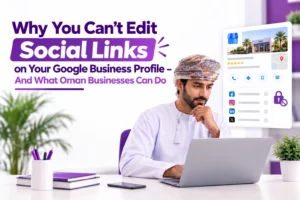
Why You Can’t Edit Social Links on Your Google Business Profile — And What Oman Businesses Can Do

If you manage a Google Business Profile (GBP) in Oman, India, or several other markets, you’ve probably hit a frustrating wall: the Social Profiles editing option simply doesn’t exist in your dashboard. You scroll through Contact Information, check every tab, and find no field to add your Instagram, Facebook, LinkedIn, or YouTube links. You’re not doing anything wrong. Google has never made this feature universally available. This isn’t a case of links mysteriously vanishing. It’s a region-limited rollout — and understanding that distinction is the first step toward solving it. The Real Problem: A Feature That Isn’t Available Everywhere Google officially confirms that the ability to manually add or edit social media links inside GBP is: “Currently available for select regions and may not be accessible to all Business Profiles.” In practice, this means a business in the United States or United Kingdom may see a clean “Add social profile” button, while an identical business in Oman or India sees nothing at all. This creates two major headaches for genuine businesses. 1. You Can’t Proactively Link Your Official Social Accounts Customers searching for your brand on Google have no direct path to your: Instagram Reels Facebook updates LinkedIn thought leadership YouTube videos You lose a seamless bridge between search and social engagement, which can lower trust and reduce conversions. 2. Wrong or Outdated Links May Still Appear Even when you can’t edit the field, Google may still display social links on your profile. These are often: Auto scraped from your website Pulled from third party directories Based on old or similarly named businesses If your old Facebook page still exists, if a competitor has a stronger web presence, or if your site’s structured data is outdated, the wrong links can show up on your public Knowledge Panel — with no edit button to fix them. For Omani businesses competing in a crowded digital landscape, this can directly impact credibility and lead quality. Why Google Limits This by Region Google rarely explains exactly why a feature rolls out to one country and not another, but the pattern is consistent: New GBP capabilities typically launch first in English speaking, high ad spend markets. They then expand gradually to other regions. Members of the Local Search Forum confirmed this early on: the social profiles field was visible in some dashboards but explicitly “not available in every country yet.” The 2026 enforcement waves — mass algorithmic suspensions that began in late April — added another layer of complexity. While those waves targeted spam and policy violations, they also tightened backend controls across affected regions. For markets already on the edge of feature availability, this may have delayed or restricted rollout further. However, the core issue remains: the editing option was never fully enabled in your region to begin with. What Oman Businesses Can Do Right Now You cannot force Google to unlock the social profiles field overnight, but you can take control of the signals that shape what appears on your Knowledge Panel. 1. Add sameAs Schema to Your Website Insert JSON LD markup in your site’s header that explicitly lists every official social profile. Example: { “@context”: “https://schema.org”, “@type”: “LocalBusiness”, “name”: “Your Business Name”, “url”: “https://yourdomain.com”, “sameAs”: [ “https://www.instagram.com/yourbrand”, “https://www.facebook.com/yourbrand”, “https://www.linkedin.com/company/yourbrand”, “https://www.youtube.com/@yourbrand” ] } This structured data tells Google exactly which accounts belong to your brand, increasing the odds that correct links auto populate even when manual editing is unavailable. 2. Audit Your Website’s Social Links Check your: Header Footer Contact page Every social icon should point to your current, official profile. Remove: Dead redirects Abandoned accounts Outdated platforms Clean signals reduce the risk of Google scraping the wrong information and displaying it on your GBP. 3. Submit Feedback Through Your Knowledge Panel On your public profile: Scroll to the bottom. Click “Feedback”. Clearly state that the social profiles editing option is missing in your region (Oman/GCC). Aggregated feedback influences Google’s product roadmap and can accelerate regional rollouts. 4. Post in the Official GBP Help Community Document your issue with: Screenshots of your dashboard Your business location Details of the missing feature Posts that are confirmed by Google Product Experts have a higher chance of being escalated to engineering teams. 5. Check Both Mobile and Desktop Feature availability sometimes differs between: The Google Maps mobile app The desktop GBP dashboard Test both interfaces before concluding the option is completely absent. Awareness Builds Resilience Platform limitations are frustrating, but they are not insurmountable. The businesses that thrive are the ones that: Understand the rules of the game — including which rules have not reached their market yet. Optimize around those limitations with strong technical SEO and brand consistency. By strengthening your website signals, auditing your digital footprint, and actively engaging Google’s support channels, you maintain accuracy and trust even when a dashboard feature is out of reach. How SPECTRUM Solutions Can Help At SPECTRUM Solutions, we help businesses across Oman and the GCC navigate: Platform shifts Regional rollouts Evolving local SEO landscapes Whether you need to: Fix your structured data Align your brand presence across channels Build a digital strategy that works regardless of algorithmic gatekeeping our team ensures you stay visible, credible, and competitive. Ready to take control of your online presence? Visit www.spectrumoman.com and let SPECTRUM Solutions guide your digital marketing journey. Sources Manage your social media links — Google Business Profile Help How to Add Social Media Links to Your GBP — GMB Briefcase Adding Social Media Links to GBP — Local Search Forum Google Not Showing Social Profiles — Local Search Forum

Read More »
Hostinger

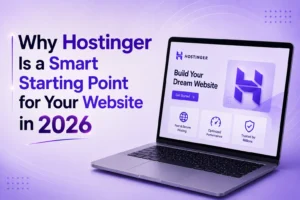
Why Hostinger Is a Smart Starting Point for Your Website in 2026

Getting a website online can feel more complicated than it needs to be. Between choosing a hosting plan, registering a domain, setting up security, and figuring out a control panel, it’s easy to see why so many beginners stall before they even publish a page. Hostinger has built its reputation on removing exactly that friction — combining low-cost hosting, an easy-to-use dashboard, and free extras like SSL and a domain, all in one place. Here’s a closer look at what makes it worth considering, whether you’re launching a blog, a portfolio, or a small business site. Shared Hosting That Doesn’t Feel Like a Compromise Shared hosting is still the most affordable way to get a website live, and Hostinger prices its plans aggressively for exactly that reason. You’re not sacrificing much for the low cost, either — the plans run on LiteSpeed servers with NVMe SSD storage, which noticeably improves load times compared to older-generation shared hosting setups. A few standout advantages: Beginner-friendly control panel. Hostinger built its own dashboard, hPanel, instead of relying on the older cPanel interface many hosts still use. It’s laid out simply — domains, files, databases, and email are all accessible without digging through menus, which matters if you’re not a developer. Free SSL certificate. Every plan includes one, so your site shows the padlock icon and “https://” from day one — good for both visitor trust and search rankings. Backups and security tools. Depending on the plan, you get features like malware scanning, a firewall, and automatic backups, so you’re not left exposed if something goes wrong. Room to grow. If your site outgrows shared hosting, Hostinger makes it straightforward to move up to Cloud hosting or VPS hosting without starting from scratch. Domains Made Simple Buying a domain and setting up hosting used to mean juggling two different companies, two different logins, and two different support teams. Hostinger folds both into one account: Free domain for the first year on annual hosting plans — you can browse available extensions and pricing through the domain name search tool. One dashboard for everything. Once your domain is registered, connecting it to your hosting is a matter of a few clicks inside hPanel, rather than manually editing DNS records across two separate platforms. Lower startup costs overall. Bundling hosting, SSL, and a domain together means you’re not paying three separate vendors just to get a basic site online — useful when you’re testing an idea and don’t want to over-invest before you know it’ll work. Where Hostinger Fits Best Hostinger’s shared hosting isn’t trying to be everything to everyone, and that’s part of its strength. It’s aimed squarely at: Personal blogs and portfolios Small business websites First-time website owners who want a simple setup Anyone prioritizing affordability without wanting to deal with server management If you eventually need more horsepower — say, a high-traffic online store or a custom application — Hostinger’s Cloud and VPS tiers are there as a natural next step, using the same account and dashboard you’re already familiar with. The Bottom Line For anyone getting a website off the ground for the first time, or looking to move a small site to more affordable hosting, Hostinger makes a strong case: solid performance for the price, a genuinely easy control panel, and the convenience of managing your domain and hosting in one place. Start with the web hosting plans page to compare options, or use the domain search tool if you just want to check what names are still available.

Read More »
The Future of SEO in the Age of AI Search

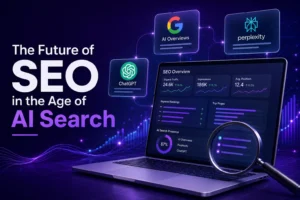
The Future of SEO in the Age of AI Search

The Future of SEO is changing rapidly. For two decades, SEO followed a predictable formula: rank in ten blue links, earn the click, win the customer. That formula is breaking. AI-powered search — ChatGPT, Google’s AI Overviews, Perplexity, and a growing wave of assistants — doesn’t hand users a list of links to sift through. It hands them an answer. And that shift is forcing marketers to rethink what “visibility” even means. This isn’t the death of SEO. It’s a redefinition of it. Here’s what’s changing, and how businesses can adapt. From Rankings to Retrieval Traditional SEO optimized for one goal: rank high enough on a results page that a human clicks through. AI search changes the target. Instead of ranking a page, AI systems retrieve and synthesize information from many sources to generate a single response. Your content isn’t competing to be clicked — it’s competing to be cited, summarized, or ignored entirely. This means the unit of optimization is shifting from the page to the passage. AI systems pull specific facts, definitions, and explanations out of context, not whole articles. A page can rank well in traditional search while being invisible to an AI answer engine if its most useful information is buried, poorly structured, or ambiguous. Why Structure and Clarity Matter More Than Ever AI models favor content that is easy to parse and extract. That rewards: Clear, direct answers near the top of a page — not answers buried under 800 words of preamble. Well-labeled headings and subheadings that map to real questions people ask. Structured data — lists, tables, FAQs, and schema markup — that machines can parse cleanly. Original data, expertise, and specificity, since AI models increasingly favor sources that add something beyond a rehash of existing content. In short, the sites that win in an AI-search world often look a lot like the sites that were already best for human readers: clear, well-organized, and genuinely useful. The Rise of “Answer Engine Optimization” A new term is emerging alongside SEO: AEO, or Answer Engine Optimization. The goal is different from ranking — it’s about becoming the source an AI model trusts and cites when generating a response. That involves: Building topical authority through consistent, in-depth coverage of a subject rather than scattered, thin posts. Earning mentions and citations from other credible sites, since AI models weigh corroboration across sources. Using structured formats (Q&A sections, comparison tables, definitions) that map naturally to how people phrase questions to AI assistants. Keeping information current, since outdated content is a fast way to lose trust with both readers and models. AEO doesn’t replace SEO — it sits on top of it. The technical fundamentals (site speed, crawlability, mobile experience, backlinks) still matter, because AI systems still rely heavily on the same web infrastructure that traditional search does. Brand Visibility Beyond the Click One of the biggest mental shifts marketers need to make: traffic is no longer the only measure of success. If an AI assistant summarizes your product comparison and recommends your brand without ever sending a click to your site, that’s still a win — arguably a bigger one, since it reaches the user at the exact moment of decision-making. This means brand mentions, reputation, and third-party validation (reviews, press coverage, forum discussions, expert commentary) matter more than ever. AI models are trained on the broader information ecosystem, not just your website. Being talked about — accurately and positively — across the web is becoming as important as being found on it. What Businesses Should Do Now Audit content for extractability. Can a machine pull a clean, accurate answer from your page in a few sentences? Double down on expertise. Original research, first-hand experience, and clear authorship signal trustworthiness to both readers and AI systems. Monitor AI visibility, not just search rankings. Start tracking how often your brand appears in AI-generated answers, not just where you rank on Google. Keep humans at the center. Content written to please an algorithm often reads poorly — and both search engines and AI models are getting better at detecting that. Writing for real people remains the safest long-term strategy. Don’t abandon technical SEO. Fast, crawlable, well-structured sites remain the foundation AI systems build on. The Bottom Line: The Future of SEO in the Age of AI Search SEO isn’t disappearing — it’s evolving into something broader: a discipline focused on being the trusted, citable source across an entire information ecosystem, not just a link on a results page. The businesses that thrive in this next era won’t be the ones chasing algorithm tricks. They’ll be the ones that consistently produce clear, credible, genuinely useful content — because that’s exactly what both humans and AI models are looking for. The future of SEO isn’t about gaming a system. It’s about becoming the answer worth trusting.

Read More »
Google Business Profile

How to Improve Your Google Presence: A Step-by-Step Guide from Spectrum

If customers can’t find you on Google, they’ll find your competitor instead. For most small and mid-sized businesses, Google is the first — and often only — stop before a purchase decision. That’s why your Google presence, especially your Google Business Profile, deserves the same attention you give your website or your storefront. The good news is that improving it doesn’t require a marketing degree or a big budget. It requires consistency. Here at Spectrum, we’ve broken the process down into ten manageable steps that, done well, can meaningfully boost your local visibility. Step 1: Claim and Verify Your Profile Start by searching your business name on Google. If a profile already exists, claim it. If it doesn’t, create one. Verification matters more than most business owners realize — unverified profiles are harder to manage and typically underperform in local search results, even if all the information looks correct. Step 2: Get Your Basics Right Accuracy is everything. Your business name should be real and consistent everywhere it appears. Your address or service area needs to be correct, your phone number needs to actually work, and your hours should always reflect reality — especially around holidays. Just as important: keep your Name, Address, and Phone number (often called “NAP”) identical across your website and every other online listing. Inconsistencies confuse both customers and Google’s algorithm. Step 3: Choose the Right Category Your primary category tells Google what your business fundamentally does, so choose the most accurate one available — not the most impressive-sounding one. Add secondary categories where relevant. This single decision has an outsized impact on which searches your profile shows up for. Step 4: Complete Your Services and Description Write a clear, specific business description and list every service you offer, using the same language your customers use when they search. A vague or incomplete profile gives Google less to work with, which means fewer chances to match you with the right searches. Step 5: Add Photos and Videos Upload your logo, a strong cover photo, interior and exterior shots, team photos, and images of your products or work. Short videos help too. Fresh visual content signals that your business is active and trustworthy — profiles with recent photos consistently earn more clicks and calls than those without. Step 6: Build Up Reviews Reviews are one of the strongest local search signals you have. Ask satisfied customers to leave one, and respond to every review you receive, whether it’s glowing or critical. Thoughtful responses to negative reviews often build more trust than five-star praise alone. Step 7: Post Regularly Google Posts let you share updates, promotions, events, and new products directly on your profile. Businesses that post consistently appear more active and give potential customers more reasons to engage — and more recent content to act on. Step 8: Turn On Extra Features Depending on your business type, Google offers messaging, booking, a products catalog, and a Q&A section. Enable everything relevant to you. These features remove friction for customers who are ready to reach out, and every extra touchpoint can nudge a browser toward becoming a buyer. Step 9: Align Your Website With Your Profile Your website and your Google Business Profile should tell the same story. Double-check that your location, services, and contact information match across both. If you serve a specific area, a dedicated location page that mirrors your primary service region can further strengthen your local search signals. Step 10: Review Monthly, Not Once Set a recurring reminder to check your profile at least once a month. Look for outdated hours, missing photos, new reviews that need responses, and any service changes that haven’t been reflected yet. Small, steady updates consistently outperform a single all-out effort followed by months of neglect. The Bottom Line Improving your Google presence isn’t a one-time project — it’s an ongoing habit. Claim your profile, keep your information accurate, invest in visuals, earn reviews, post consistently, and revisit everything monthly. Businesses that treat their Google Business Profile as a living asset, rather than a box to check, are the ones that consistently win local search. At Spectrum, we help businesses turn these steps into a repeatable system — so your Google presence keeps working for you, month after month.

Read More »
ChatGPT Prism

ChatGPT Prism: OpenAI’s Free AI Workspace That Could Change Scientific Writing Forever

In 2026, OpenAI turned its attention from coding and conversation to the laboratory and the lecture hall. The result is Prism — a purpose-built workspace for structured scientific writing and research that is already being called the “ChatGPT moment” for academia. Here is everything you need to know. What is ChatGPT Prism? Prism is a free workspace for scientific writing and collaboration, with GPT-5.2 — OpenAI‘s most advanced model for mathematical and scientific reasoning — integrated directly into the workflow. It brings drafting, revision, collaboration, and preparation for publication into a single, cloud-based, LaTeX-native workspace. Crucially, the AI is not bolted on as a side chatbot: GPT-5.2 works within the project itself, with access to the structure of the paper, equations, references, and surrounding context. OpenAI The platform has an interesting origin story too. Prism was developed following OpenAI’s acquisition of Crixet, a cloud-based LaTeX platform, whose infrastructure OpenAI evolved to integrate AI assistance directly into the typesetting workflow. One commentator summed it up neatly: OpenAI describes Prism as the scientific equivalent of what Claude Code is for developers. TechInformed, Aivancity Who Can Take Advantage of This Tool? The short answer: almost anyone in research or education. Prism offers unlimited projects and collaborators and is available to anyone with a ChatGPT personal account, with availability coming soon to organisations using ChatGPT Business, Enterprise, and Education plans. OpenAI That makes it ideal for university researchers, postgraduate students, lecturers, and scientific authors — particularly in mathematics, computer science, engineering, and other technical disciplines that rely on precise typesetting, since the platform is LaTeX-native. For institutions in Oman — from Sultan Qaboos University to private research centres — this means world-class publishing tools are now a browser tab away, with no software installation required. Users simply start new LaTeX projects or upload existing files through prism.openai.com using a ChatGPT account. AI Pro, Digital Watch Observatory How Will It Enhance Productivity? Scientific writing has long been fragmented across editors, compilers, PDFs, reference managers, and chat tools. Prism consolidates this: it can draft and revise text using the full document as context, handle equations and references, search and incorporate related literature, and even convert whiteboard equations or diagrams into LaTeX. TechInformed That last feature deserves emphasis. LaTeX is powerful but notoriously difficult, especially for diagrams. With Prism, users can describe in natural language what they want — such as a neural network architecture diagram — and let the AI automatically generate the corresponding LaTeX code, including through complex libraries like TikZ, rendered visually without manual intervention. Aivancity Researchers can also rewrite sections, verify equations, test arguments, and clarify explanations without ever leaving the editing interface — positioning the AI as a background collaborator. Early users are impressed: a statistician at UC Berkeley noted that the model helps polish paper text, catches mathematical typos, and makes interaction with scientific literature far smoother. The demand clearly exists — OpenAI says ChatGPT already sees almost 8.4 million messages on advanced science and mathematics topics from roughly 1.3 million weekly users. Digital Watch Observatory + 2 What Are the Approximate Subscription Rates? Here is the most pleasant surprise of all: Prism is free to use, and anyone with a ChatGPT account can start writing immediately — there are no subscriptions or seat limits. Even a free ChatGPT account suffices to begin, although users who want OpenAI’s premium models elsewhere can pair Prism with a ChatGPT Plus subscription (around $20/month, approx. OMR 7.7). For the core Prism workspace itself, the price is simply zero. OpenAI The Bottom Line By removing both the cost barrier and the technical friction of scientific publishing, Prism could meaningfully widen who gets to participate in research. For Oman’s students, academics, and institutions, the tools of world-class science just became free. Sources OpenAI Official Announcement, “Introducing Prism” (openai.com — features, GPT-5.2 integration, free pricing); OpenAI Prism product page (openai.com/prism); TechInformed, Jan 29, 2026 (Crixet acquisition, capabilities, usage statistics); TechCrunch, Jan 27, 2026 (LaTeX integration and context management); Digital Watch Observatory, Jan 30, 2026 (workflow features and access); MIT Technology Review, Jan 27, 2026 (researcher testimonial); Aivancity Blog, Feb 2026 (TikZ diagram generation, Claude Code comparison); AI-PRO.org, Feb 2026 (target disciplines). Published by SpectrumOman.com — www.spectrumoman.com

Read More »
Claude Fable 5 vs Claude Mythos 5

Claude Fable 5 vs Claude Mythos 5: Anthropic’s Most Powerful AI Yet — Explained

On June 9, 2026, Anthropic unveiled the next generation of artificial intelligence: Claude Fable 5 and Claude Mythos 5. Together, they introduce a brand-new “Mythos-class” tier of capability that sits above the famous Opus line — built for the hardest knowledge work and coding problems in the world. Here is what you need to know. What Are the Differences Between the Two? Think of Fable 5 and Mythos 5 as twins with very different passports. Claude Fable 5 is Anthropic’s most capable widely released model, built for the most demanding reasoning and long-horizon agentic work, while Claude Mythos 5 shares the same capabilities and is available only in limited release through Project Glasswing. The headline difference: Fable 5 includes safety classifiers that can decline requests, while Mythos 5 does not. Claude API Docs In practice, questions on some sensitive topics — most queries related to cybersecurity, chemistry, and biology — are answered by the earlier Opus 4.8 model instead, with safeguards expected to trigger in less than five percent of sessions on average. Why such caution? Mythos models sent shock waves through the cybersecurity world earlier this year for their superhuman ability to find and exploit cyber vulnerabilities. MacRumorsNBC News Who Can Take Advantage of These Tools? Claude Fable 5 is for nearly everyone. It is available to anyone through Anthropic’s Claude API and consumption-based Enterprise plans, and it has also launched on Amazon Bedrock and the Claude Platform on AWS, letting businesses build within their existing AWS environment. Developers, researchers, enterprises, and everyday subscribers can all use it. TechCrunchAWS Claude Mythos 5, by contrast, is strictly invitation-only. Trusted partners who previously accessed the Mythos Preview — over 150 organisations worldwide, including financial institutions, software companies and healthcare networks shoring up their cyber defences — now receive the upgraded Mythos 5. Access flows through Project Glasswing, an initiative that enables tech companies like Apple to use the frontier model to find security vulnerabilities across operating systems and web browsers. In short: Mythos 5 is reserved for vetted internal security teams doing defensive cybersecurity research. NBC NewsMacRumors How Will They Enhance Productivity? This is where the leap becomes real. Fable 5 is state-of-the-art on nearly all tested benchmarks, showing exceptional performance in software engineering, knowledge work, vision, and scientific research — and the longer and more complex the task, the larger its lead over other models. Remarkably, the model can work for days at a time in an agent harness like Claude Code — planning its approach, checking progress against the goal, and refining its work as it goes. On some benchmarks, it scored more than 10% higher than Claude Opus 4.8. Anthropic + 2 On the Mythos side, the gains extend into science itself: Anthropic says Mythos 5 shattered performance records across domains including drug design and molecular biology, and is the company’s first model to consistently produce novel, compelling scientific hypotheses. For businesses in Oman, this means AI that can autonomously handle multi-day projects — from full software builds to deep research — that previously demanded entire teams. NBC News What Are the Approximate Subscription Rates? Fable 5 and Mythos 5 are priced at $10 per million input tokens and $50 per million output tokens via the API — less than half the price of the earlier Claude Mythos Preview. Claude Fable 5 is also included in Pro, Max, Team, and seat-based Enterprise plans until June 22, 2026; from June 23, using it will require usage credits, with Anthropic planning to restore it to subscription plans once capacity allows. (For reference, Claude Pro starts around $20/month — roughly OMR 7.7.) MacRumors The Bottom Line Fable 5 brings frontier-level intelligence to the public with guardrails; Mythos 5 keeps the unrestricted version in the hands of vetted defenders. For Oman’s enterprises and developers, the message is simple: the most powerful AI ever made generally available is now within reach. Sources: Anthropic official announcement (anthropic.com/news/claude-fable-5-mythos-5 — capabilities and safeguards); Claude API Documentation (platform.claude.com — model differences and Project Glasswing); MacRumors, June 9, 2026 (pricing, plans, Apple/Glasswing); TechCrunch, June 9, 2026 (availability and safety testing); NBC News, June 9, 2026 (Mythos 5 partners and scientific records); CNBC, June 9, 2026 (benchmarks); AWS News Blog & About Amazon, June 2026 (Bedrock availability and agentic capabilities). Published by SpectrumOman.com — www.spectrumoman.com

Read More »